Plan ahead with Budget
Run a budget around your pay periods, plan bills, and set money aside for savings goals. Budget on its own works well if you don’t want to enter every debit or credit card purchase.
EasyPZ Financial Plan
Plan where your money goes, keep track of what you actually spend, and see how your investments are doing. Start with the apps you need and add others when you want more detail.
Choose how much you want to track
Financial Plan brings Budget, Ledger, and Portfolio together under one sign-in. The Overview shows summaries for the apps you use, and shared settings apply across them. Choose your apps during setup and change your selection later as your needs change.
Run a budget around your pay periods, plan bills, and set money aside for savings goals. Budget on its own works well if you don’t want to enter every debit or credit card purchase.
Keep a snapshot of your investments by updating shares, average costs, and cash when you review your statements. Use Portfolio on its own or alongside Budget without keeping a transaction history.
Use Ledger to record banking and investment activity. Budget can then compare actual spending by category with your plan, and Portfolio can show recorded investment income and performance over time.

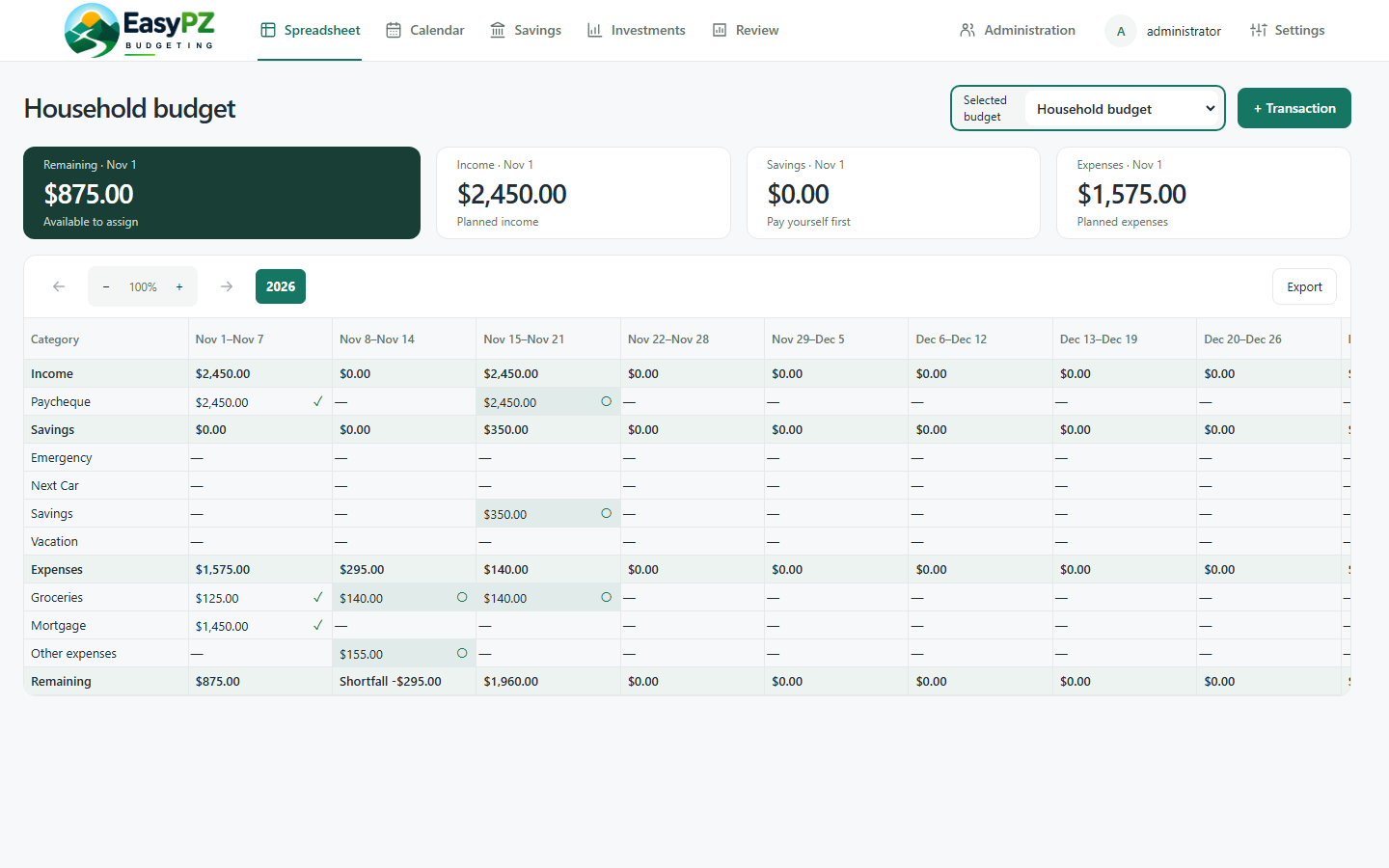
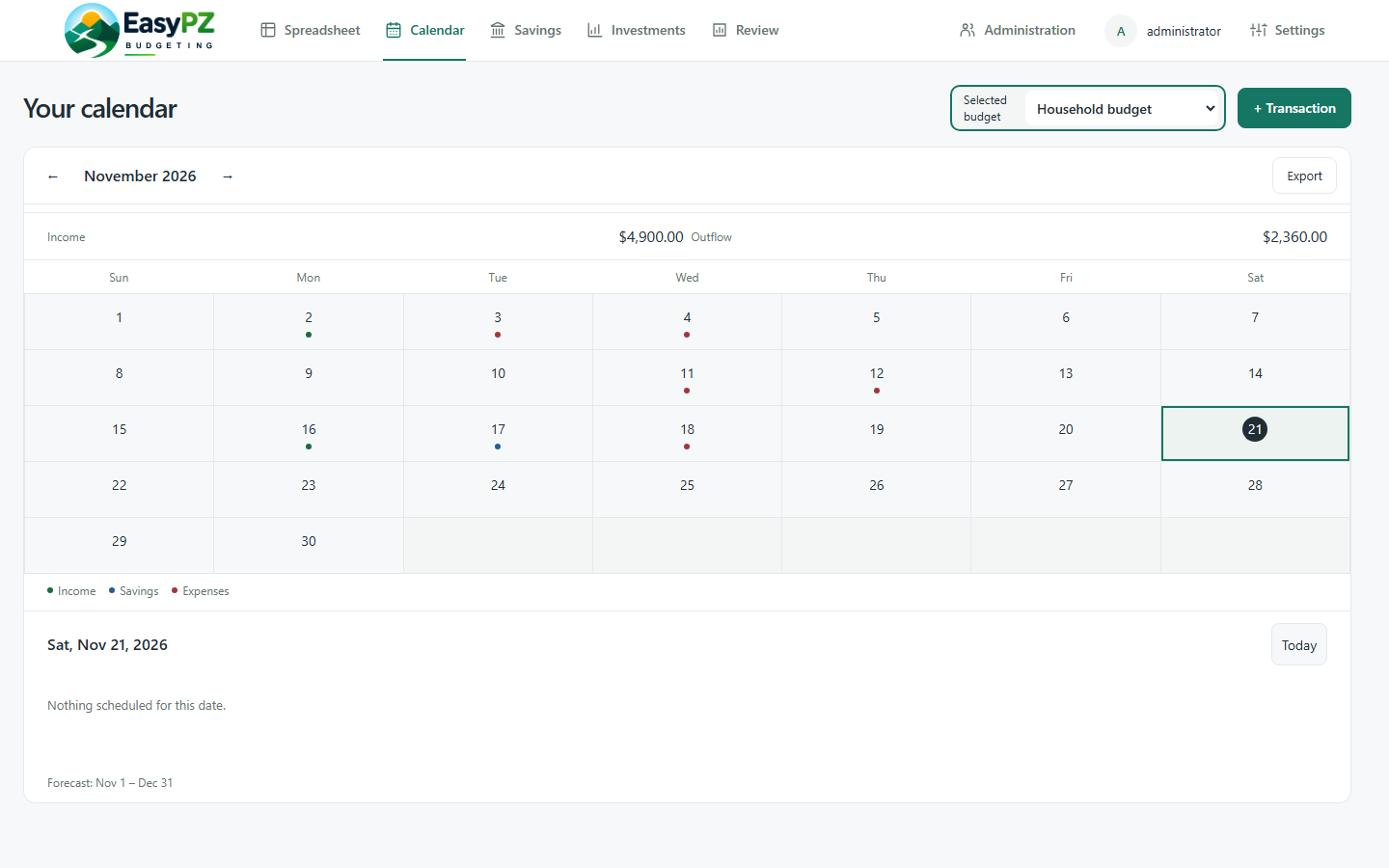
Use the Spreadsheet to see planned income, expenses, savings, and what’s left in each budget period. Schedule recurring bills and spread their cost across pay periods. Switch to Calendar to see what’s coming up by date.
Export the Spreadsheet to Excel or CSV, or export scheduled entries from Calendar as an iCalendar file. Keep a copy for review or open your schedule in a compatible calendar app.
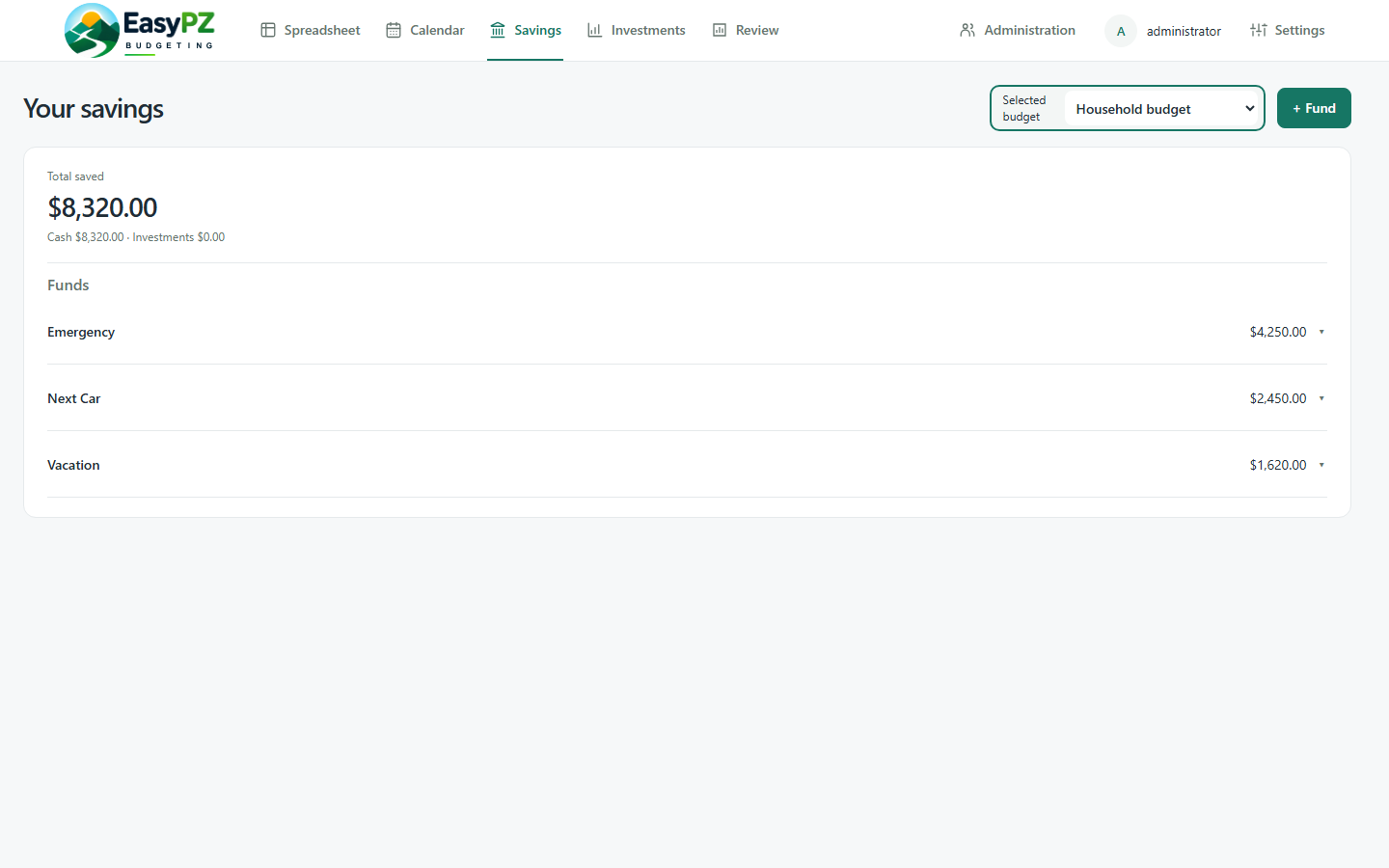
Give each savings goal its own Savings Fund. Track cash and investment holdings within a fund, and assign portions of one investment to multiple funds so you can see what belongs to each goal. With Ledger enabled, use Period Review to compare budgeted amounts with categorized transactions in Ledger.

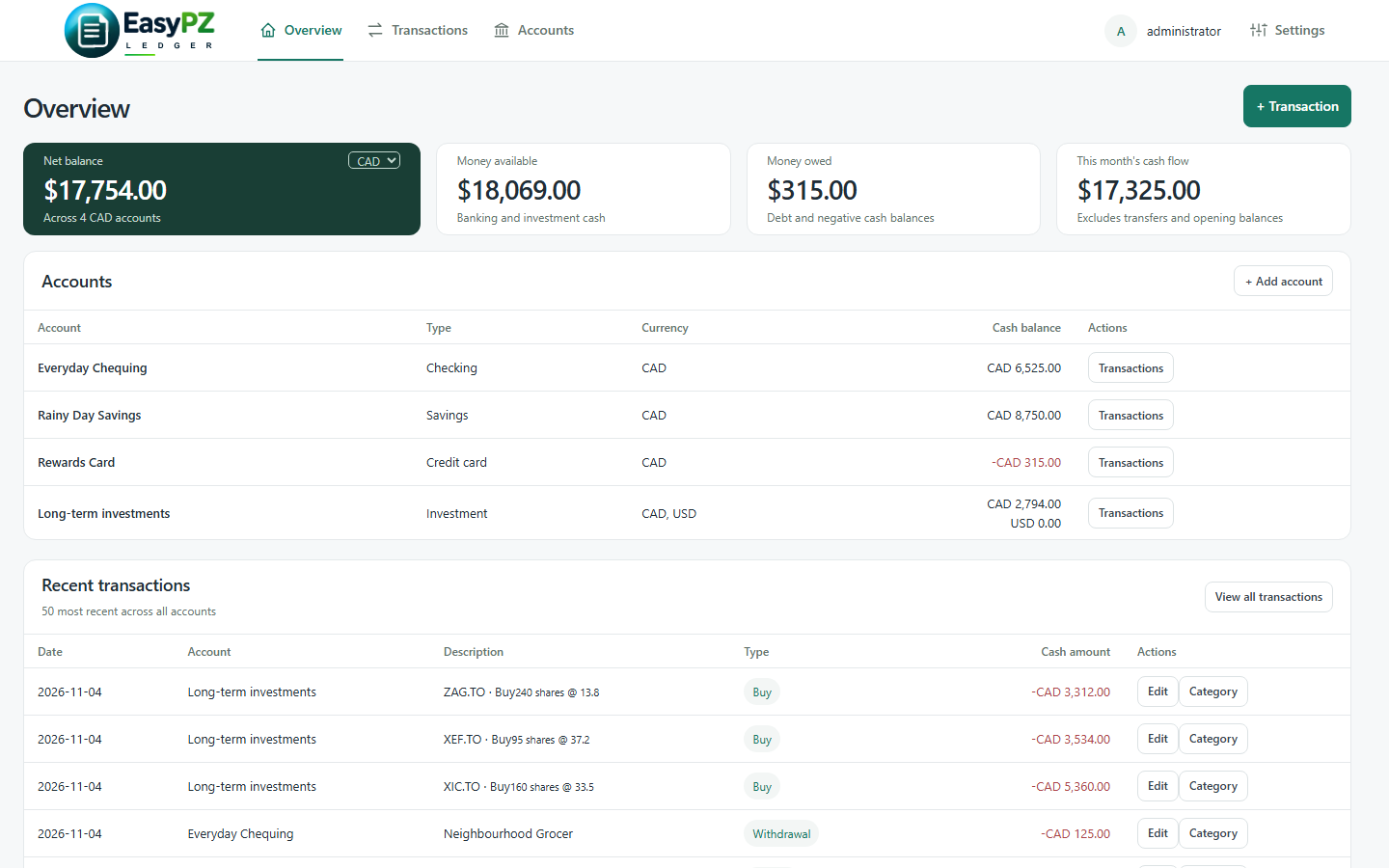
See balances, cash flow, and recent activity in Ledger’s Overview. Record and reconcile transactions for chequing, savings, and credit card accounts, and track transfers between accounts.
Import CSV exports from your bank or brokerage. Match the file’s columns and review the mapped rows before importing. For banking activity, assign Budget categories. With Portfolio enabled, record or import investment buys, sells, splits, dividends, and other supported activity.

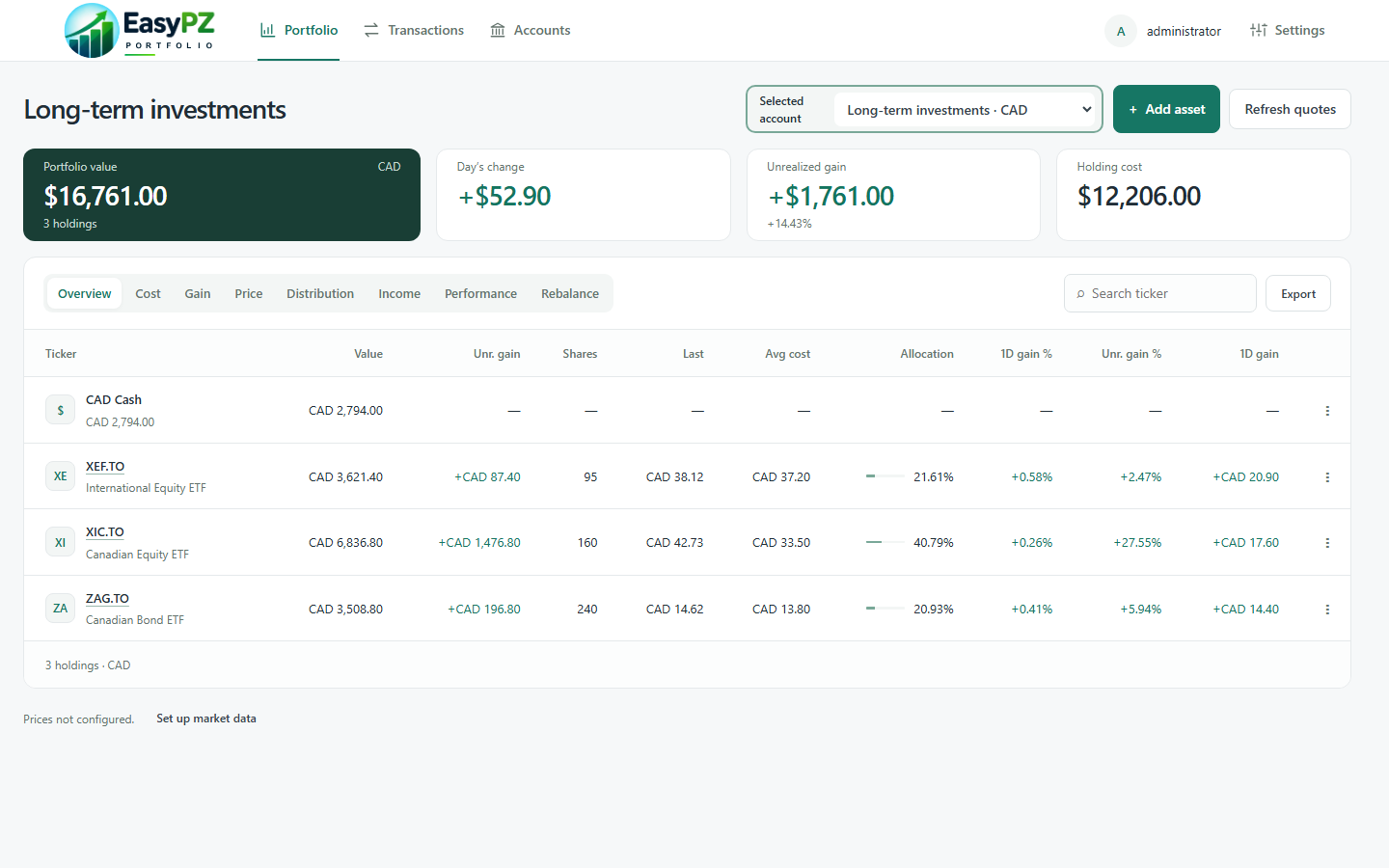
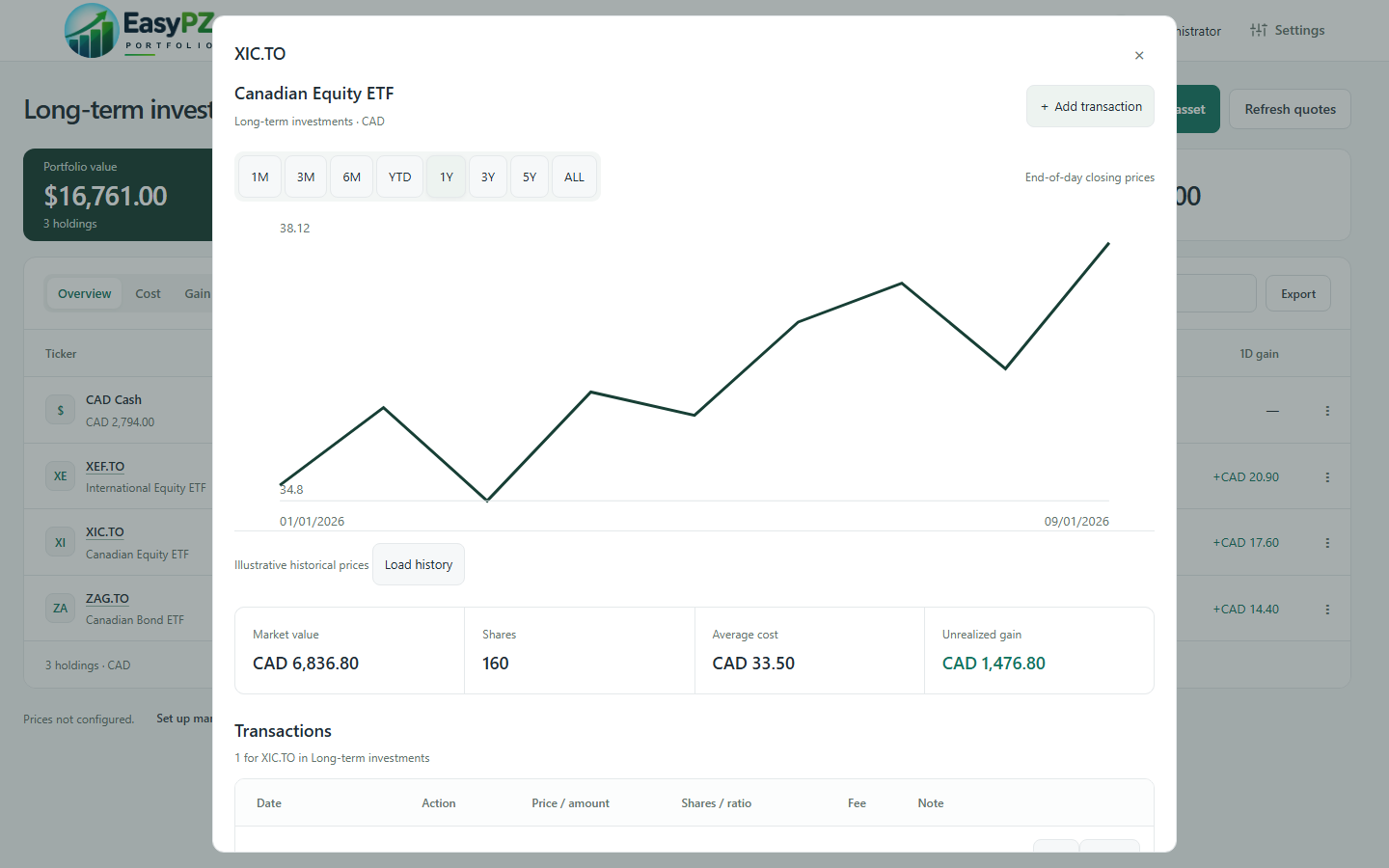
Review one investment account or see all of them together. Portfolio shows holdings, allocation, costs, and gains, with CAD and USD views kept separate. Open a holding for its historical price chart, market value, shares, and average cost.
Connect your own EODHD API key for price updates, available historical prices, and distribution estimates. Budget and Portfolio can use the same key. Historical views and estimates depend on available provider data.
Use Portfolio alone to maintain balances directly. With Ledger enabled, Portfolio uses recorded trades and cash activity to show performance over time and separate net contributions from investment growth. The Income view shows recorded dividends alongside estimated upcoming payments when data is available.
One place for settings
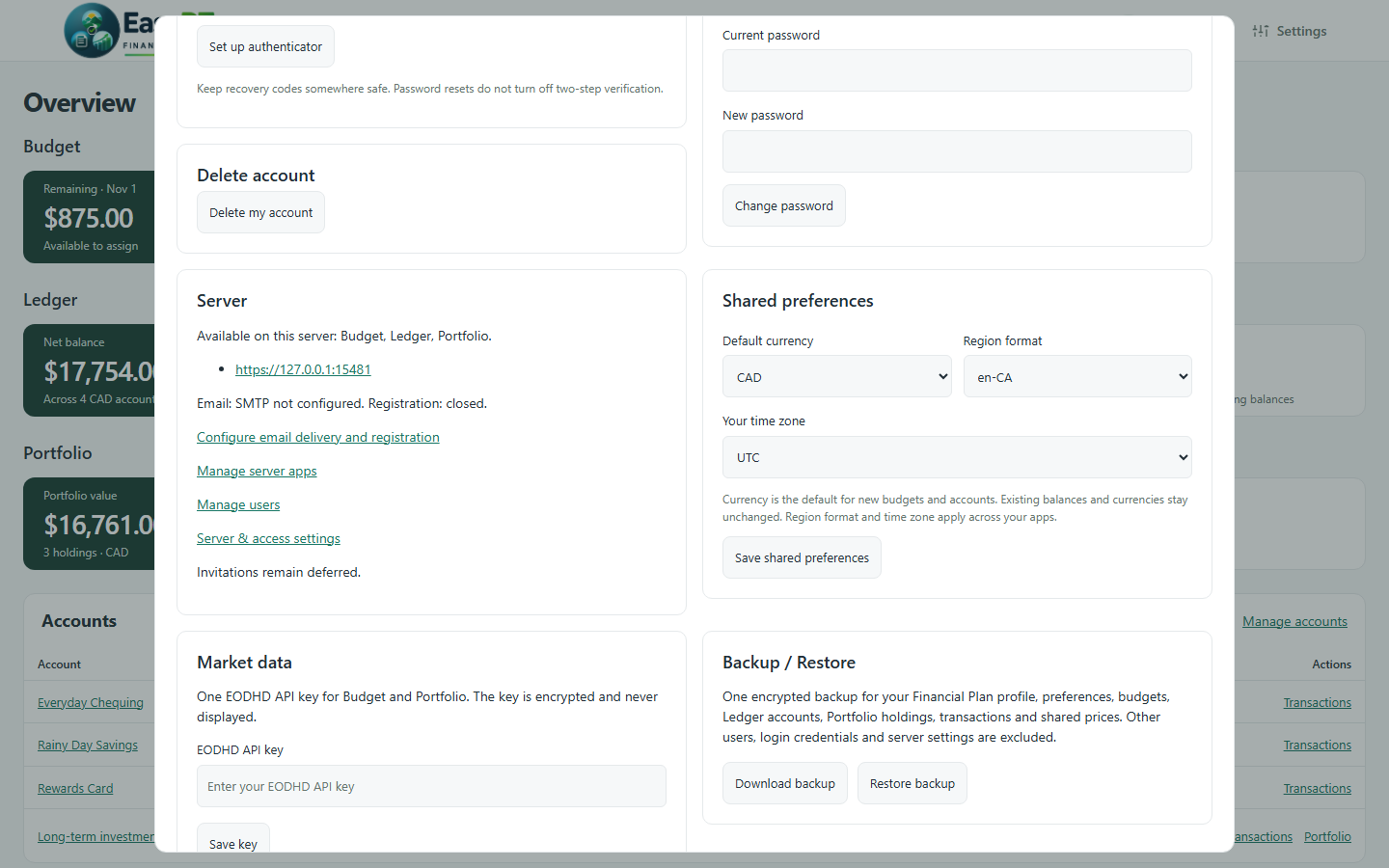
Choose your default currency, region format, and time zone during setup. Change your app selection, manage your shared EODHD key, or install Financial Plan from a supported browser.
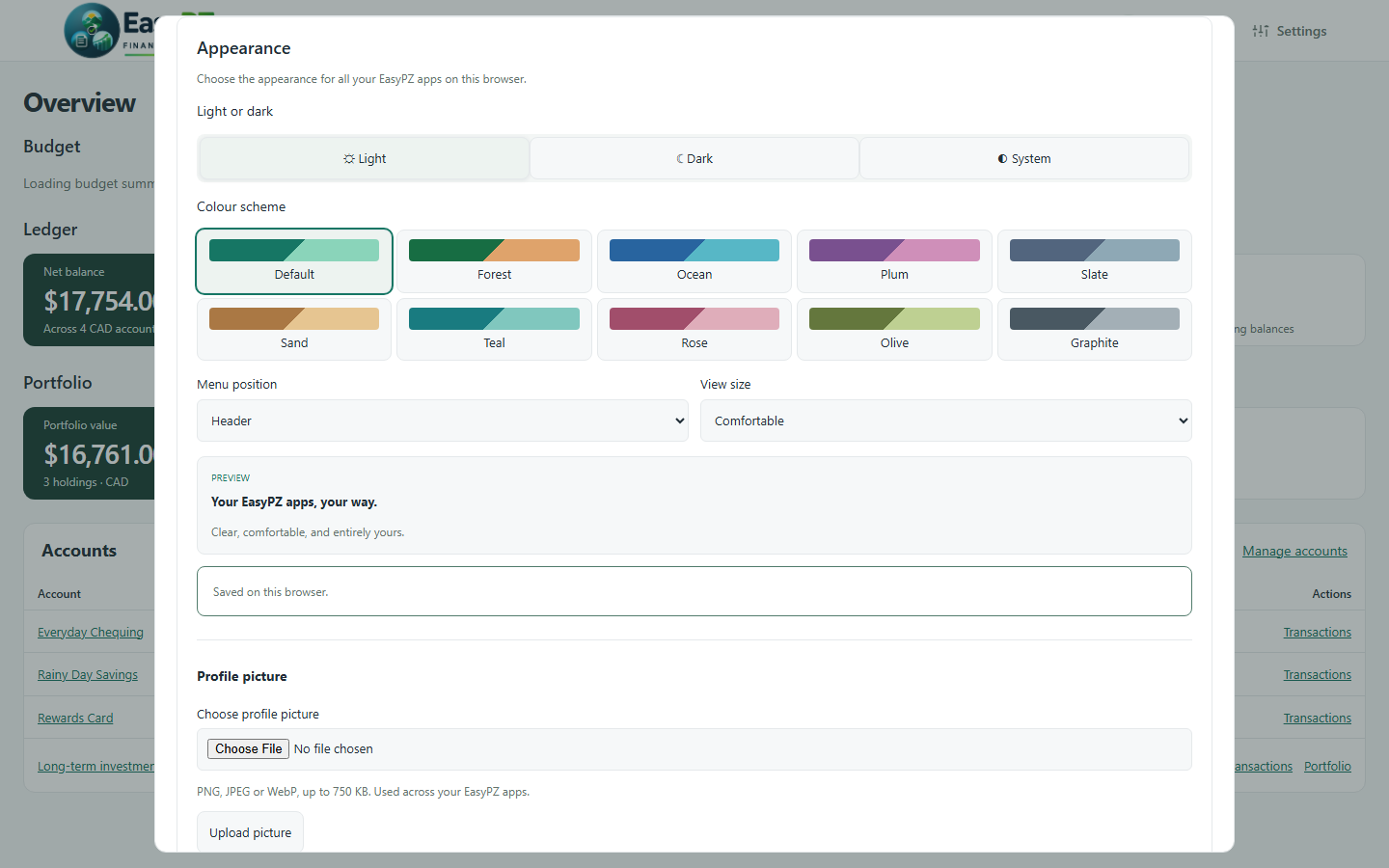
Pick light, dark, or system appearance, a colour scheme, a view size, and where the menu sits. Manage your profile and two-step verification and use an encrypted personal backup to export or restore your app data.